

Hardware Development TestBed
Active ProjectData Analysis
This custom-designed hardware testbed supports the experimental development and validation of solid rocket motor technologies. Engineered to integrate load cells, relay systems, and signal-conditioning electronics, the platform enables safe, repeatable testing of thrust, ignition control, and circuit reliability. The modular truss structure is optimized for mechanical strength and sensor accessibility, serving as a robust base for iterative R&D in propulsion and aerospace subsystems. The platform also acts as a proving ground for embedded software and real-time telemetry systems ahead of full motor integration.
4
Total Feedback
Aug 21
Last Updated
Key Features
Safety InterlocksTelemetryEmbedded Relay Logic
Tech Stack
Precision Load CellsAmplifiersRaspberry PiArduino+7 more
Image Gallery
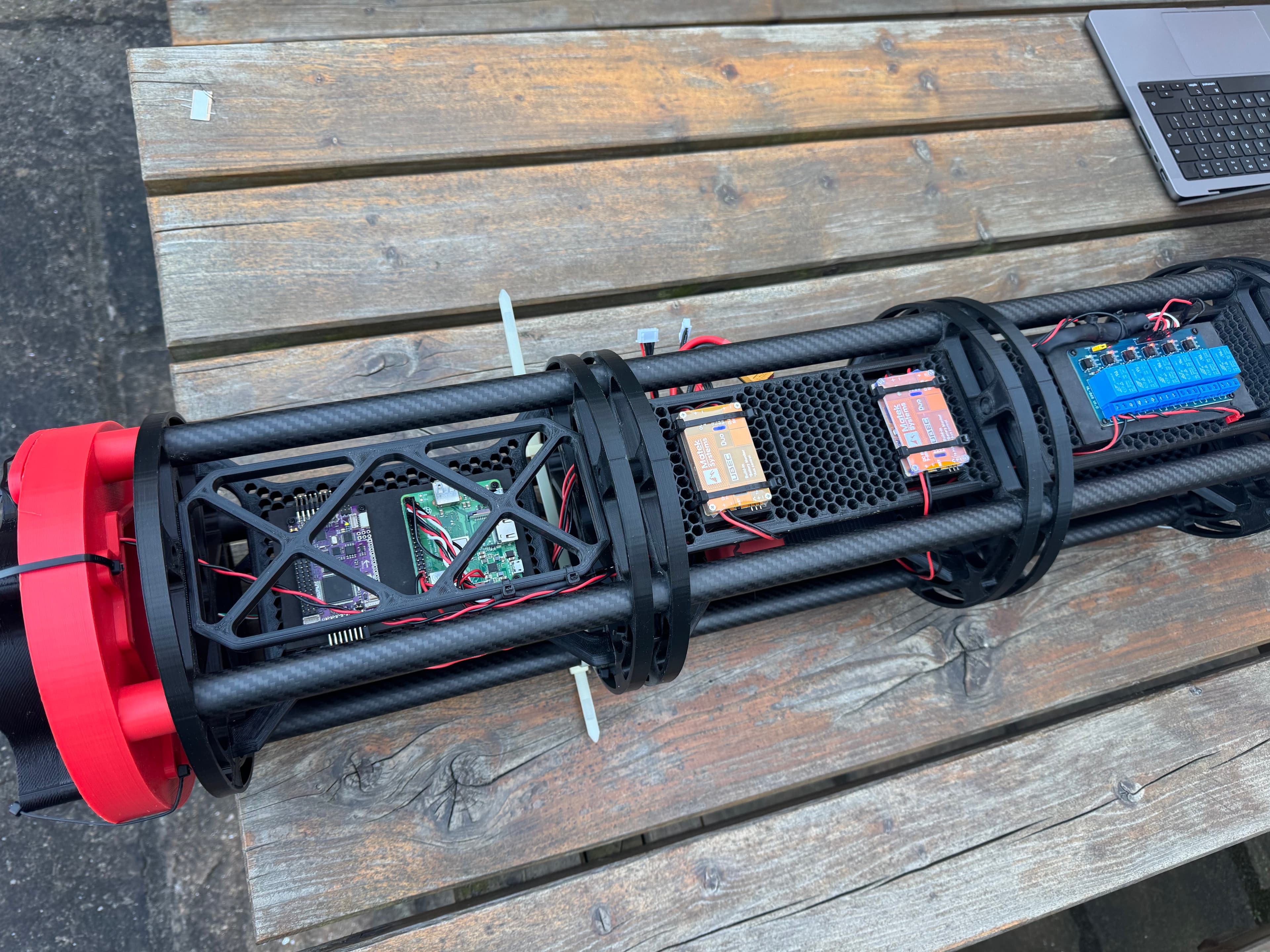
APM2.5, UBEC Duo and Raspberry Pi Electronics
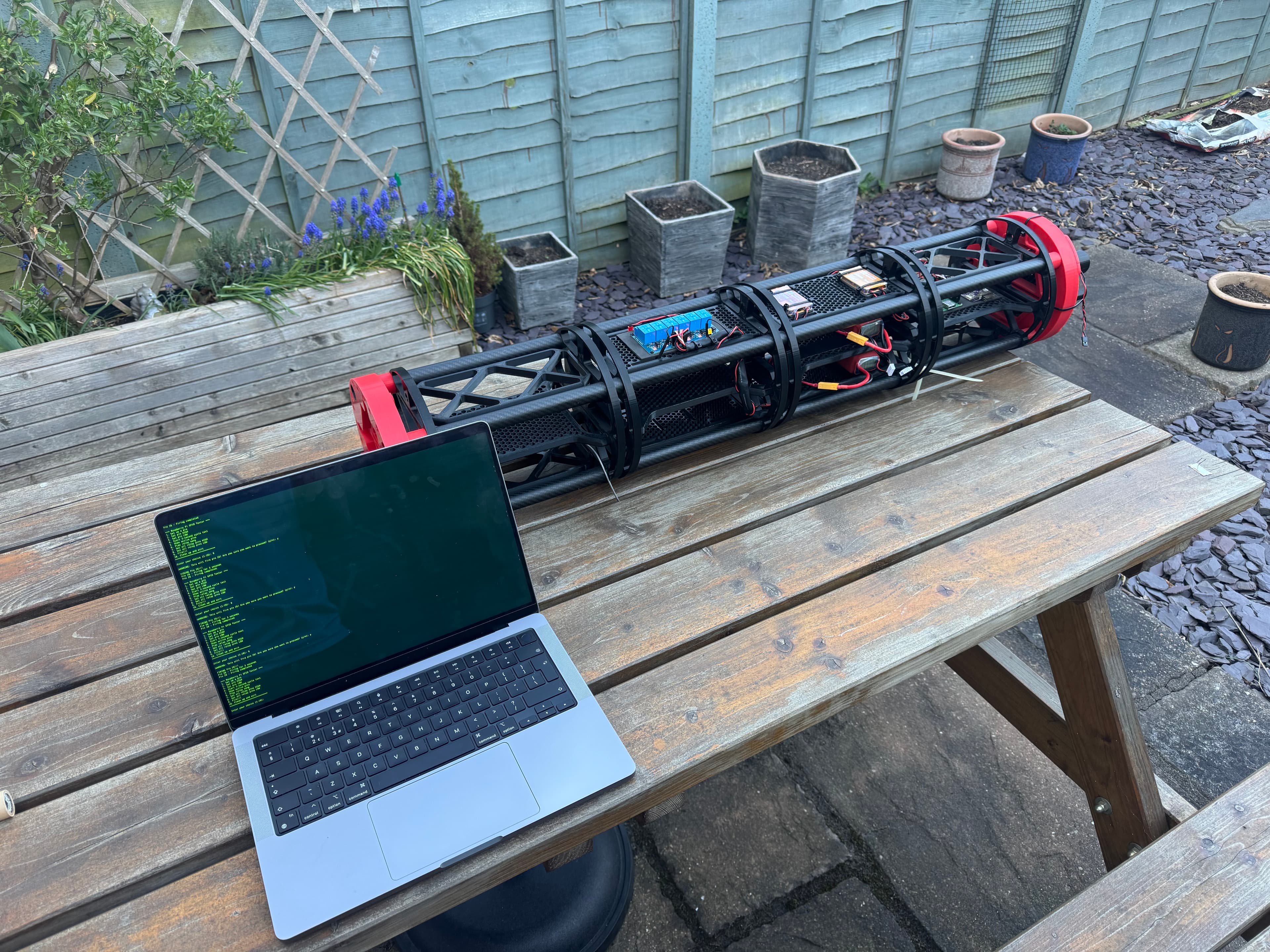
Wireless Trigger using TestBedBasicScript in Python
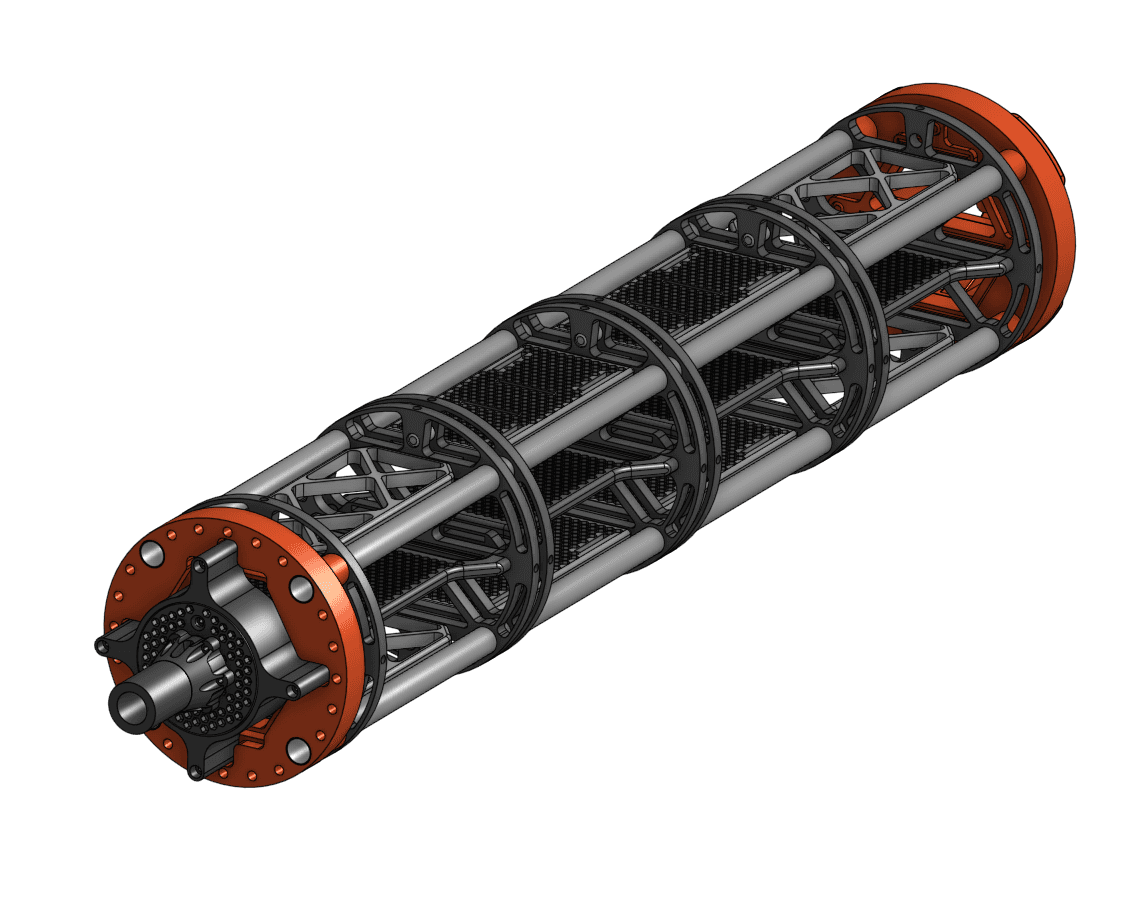
OnShape CAD Assembly Design
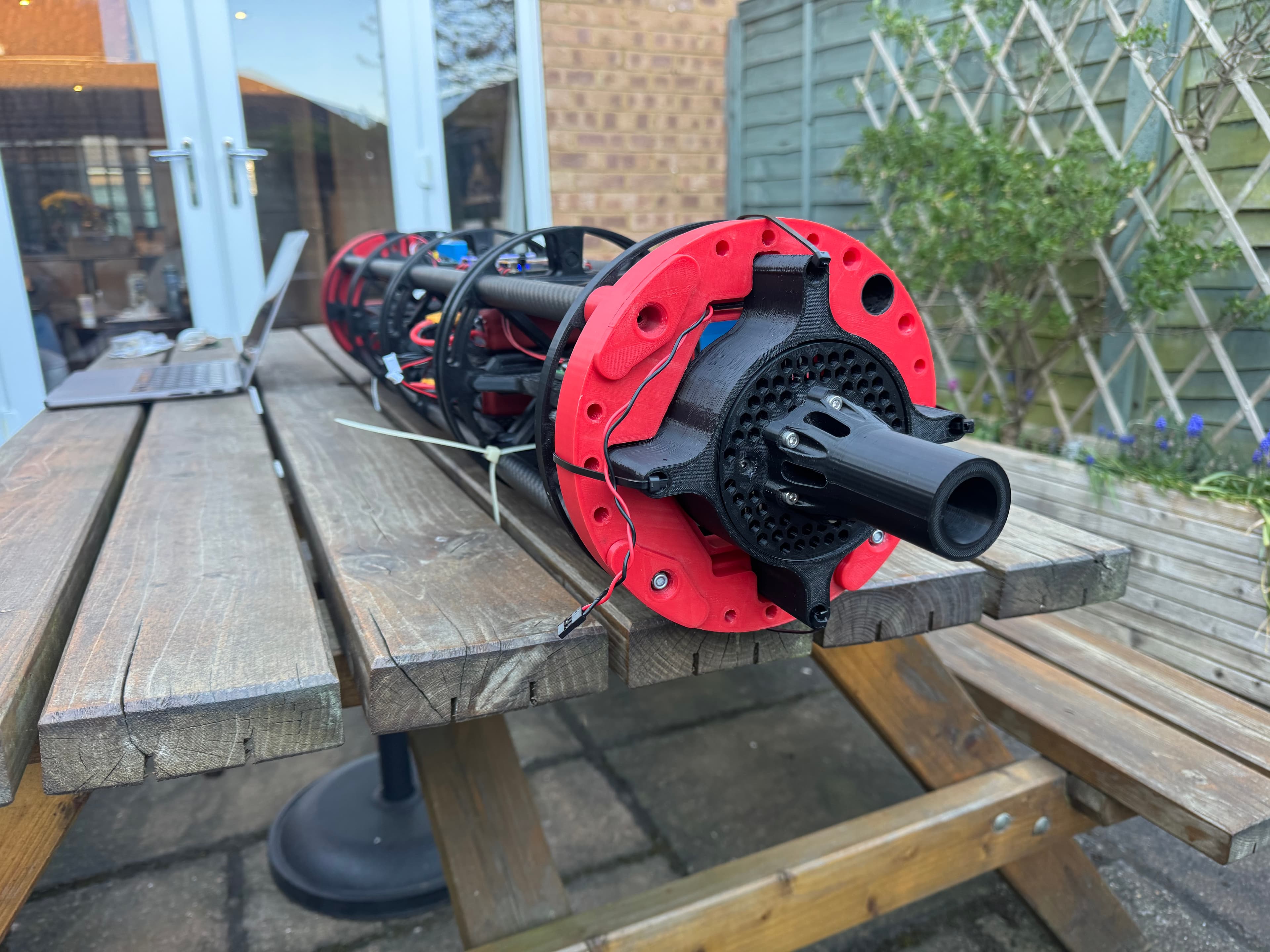
Load Cell 3-D Printed Rocket enclosure
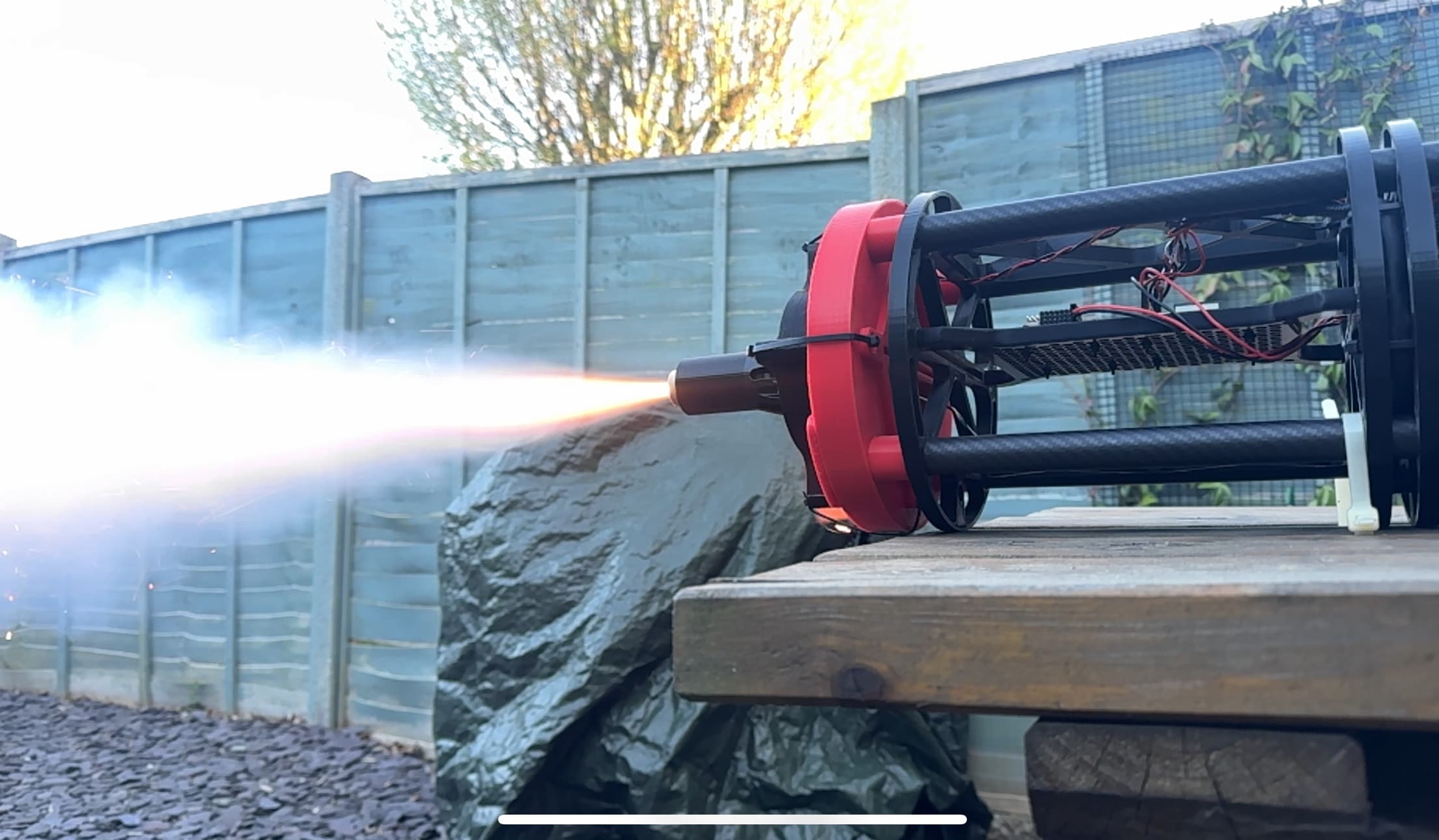
First Rocket Firing
Loading updates...
Project Roadmap
Loading timeline...
Upcoming Features
As a user, I want to be able to visualize the TestBed's orientation, altitude, and location in real-time because this will integrate APM2.5 data with 3D STEP data for an enhanced understanding of the TestBed's current status. This will affect the unified-dashboard, specifically the visualization and dataPipeline sections, where I will see a new 3D representation of orientation and altitude using Three.js and a map view for location tracking with Leaflet.js. These additions will be seamlessly embedded into the existing dashboard layout, providing a smooth and interactive experience while maintaining performance and data accuracy.Planned
Medium Priority
Enable APM2.5 functionality through provision of a data pipeline from the Ardupilot sensors (Altitude, Orientation, GPS Locations,) so that it can be used within the web based application.Completed
Medium Priority
Known Issues
As a user, I want to be able to record load cell data at a frequency of 100Hz instead of 1Hz because this will enable more precise and detailed data collection for my analyses. This change will affect the Load Cell calibration page and the 'Firing' functionality. The calibration page will be updated to handle higher data rates accurately, ensuring that the calibration results remain consistent and reliable. The 'Firing' functionality will be optimized to support the increased frequency, ensuring smooth data recording without performance degradation. These enhancements will allow me to gather more granular data, improving the overall effectiveness of my testing and analysis processes.Open
Medium Priority
As a user, I want to be able to view a smoother and more readable Load Cell Graph during live data tests because a data smoothing mechanism will be implemented to reduce the 'jumpy' behavior of the graph. This will affect the graph display section within the unified dashboard, ensuring that transitions are smooth and data accuracy is maintained in real-time.Open
Medium Priority
Project Challenges
BBAI-TestBedBasic: Challenges Faced 🚧
As an engineer working on the BBAI-TestBedBasic project, I encountered several challenges that needed addressing to ensure the system's reliability and functionality. These challenges spanned hardware interfacing, software design, and deployment.
Hardware Interfacing Hurdles 🔩
- GPIO Pin Management: Initially, managing the GPIO pins was tricky. Ensuring correct setup and avoiding conflicts was essential. Especially when expanding the number of available pins.
- HX711 Load Cell Calibration: Calibrating the HX711 load cell proved to be more involved than initially anticipated. Getting accurate and consistent readings required careful calibration and noise reduction.
- Relay Module Integration: Integrating the 6-chain relay module introduced complexity in controlling multiple GPIO pins simultaneously. Ensuring the correct state of each relay during complex operations was crucial.
Software Design Complexities 💻
1. Modular Design: Breaking the project into modular components (
2. Real-time Data Logging: Implementing real-time data logging for the load cell during the "fire" test presented performance challenges. Ensuring accurate timestamps and minimal impact on the system's responsiveness was critical.
3. Error Handling: Robust error handling was essential to prevent unexpected crashes and provide informative feedback to the user. Covering all potential failure points required thorough testing and debugging.
Deployment and Scripting Issues 🚀
Remote Deployment: Deploying the application to the Raspberry Pi remotely using scripts introduced complexities in file transfer and permission management.
Log Extraction: Automating the extraction of log files from the Raspberry Pi to a remote desktop required scripting and secure file transfer protocols.
* Dependency Management: Ensuring that all required libraries (
By addressing these challenges, the BBAI-TestBedBasic project has evolved into a robust and reliable system for controlling GPIO pins and interfacing with load cells.
As an engineer working on the BBAI-TestBedBasic project, I encountered several challenges that needed addressing to ensure the system's reliability and functionality. These challenges spanned hardware interfacing, software design, and deployment.
Hardware Interfacing Hurdles 🔩
- GPIO Pin Management: Initially, managing the GPIO pins was tricky. Ensuring correct setup and avoiding conflicts was essential. Especially when expanding the number of available pins.
- HX711 Load Cell Calibration: Calibrating the HX711 load cell proved to be more involved than initially anticipated. Getting accurate and consistent readings required careful calibration and noise reduction.
- Relay Module Integration: Integrating the 6-chain relay module introduced complexity in controlling multiple GPIO pins simultaneously. Ensuring the correct state of each relay during complex operations was crucial.
Software Design Complexities 💻
1. Modular Design: Breaking the project into modular components (
hx711.py, loadcellmanager.py, gpio_manager.py, main.py) was a design goal, but achieving true modularity while maintaining cohesion required careful planning.2. Real-time Data Logging: Implementing real-time data logging for the load cell during the "fire" test presented performance challenges. Ensuring accurate timestamps and minimal impact on the system's responsiveness was critical.
3. Error Handling: Robust error handling was essential to prevent unexpected crashes and provide informative feedback to the user. Covering all potential failure points required thorough testing and debugging.
Deployment and Scripting Issues 🚀
Remote Deployment: Deploying the application to the Raspberry Pi remotely using scripts introduced complexities in file transfer and permission management.
Log Extraction: Automating the extraction of log files from the Raspberry Pi to a remote desktop required scripting and secure file transfer protocols.
* Dependency Management: Ensuring that all required libraries (
RPi.GPIO) were correctly installed and managed on the Raspberry Pi was an ongoing task.By addressing these challenges, the BBAI-TestBedBasic project has evolved into a robust and reliable system for controlling GPIO pins and interfacing with load cells.
Project Solutions & Learnings
BBAI-TestBedBasic: Solutions and Learnings 💡
Throughout the development of the BBAI-TestBedBasic project, I implemented several solutions to overcome the challenges encountered. These solutions not only improved the system's performance and reliability but also provided valuable learnings for future projects.
Hardware Interfacing Solutions 🛠️
- Enhanced GPIO Management: To simplify GPIO pin management, I created the
- Improved HX711 Calibration: I developed a comprehensive calibration routine within
- Synchronised Relay Control: To manage the 6-chain relay module, I implemented methods in
Software Design Improvements ⚙️
1. Modular Architecture: The project's modular design was refined to ensure clear separation of concerns. Each module (
2. Real-time Logging Optimisations: I optimised the real-time data logging process in
3. Comprehensive Error Handling: I implemented robust error handling throughout the codebase, providing informative feedback to the user and preventing unexpected crashes. This includes handling exceptions during GPIO operations, load cell readings, and file I/O.
Deployment and Scripting Enhancements 🚀
Automated Deployment Scripts: I created the
Secure Log Extraction: The
Dependency Management Documentation: I added detailed instructions to the
Key Learnings 🧠
Importance of Modularity: Breaking the project into modular components greatly improved its maintainability and testability.
Calibration is Crucial: Accurate calibration is essential for reliable data acquisition from sensors like the HX711 load cell.
Automation Saves Time: Automating deployment and log extraction tasks significantly reduced the time and effort required to manage the project.
* Error Handling Matters: Robust error handling is critical for preventing unexpected crashes and providing a smooth user experience.
By implementing these solutions and reflecting on the key learnings, the BBAI-TestBedBasic project has become a valuable tool for controlling GPIO pins and interfacing with load cells.
Throughout the development of the BBAI-TestBedBasic project, I implemented several solutions to overcome the challenges encountered. These solutions not only improved the system's performance and reliability but also provided valuable learnings for future projects.
Hardware Interfacing Solutions 🛠️
- Enhanced GPIO Management: To simplify GPIO pin management, I created the
GPIOManager class in gpiomanager.py. This class encapsulates the setup, control, and cleanup of GPIO pins, making it easier to manage pin states and avoid conflicts.- Improved HX711 Calibration: I developed a comprehensive calibration routine within
loadcellmanager.py. This routine guides the user through the calibration process, ensuring accurate readings from the HX711 load cell. Calibration data is stored in a JSON file for persistence.- Synchronised Relay Control: To manage the 6-chain relay module, I implemented methods in
gpiomanager.py that allow for simultaneous control of multiple GPIO pins. This ensures the correct state of each relay during complex operations like the "relay song".Software Design Improvements ⚙️
1. Modular Architecture: The project's modular design was refined to ensure clear separation of concerns. Each module (
hx711.py, loadcellmanager.py, gpiomanager.py, main.py) has a specific responsibility, making the codebase more maintainable and testable.2. Real-time Logging Optimisations: I optimised the real-time data logging process in
loadcellmanager.py to minimise its impact on system responsiveness. This involved buffering data and using efficient file I/O operations.3. Comprehensive Error Handling: I implemented robust error handling throughout the codebase, providing informative feedback to the user and preventing unexpected crashes. This includes handling exceptions during GPIO operations, load cell readings, and file I/O.
Deployment and Scripting Enhancements 🚀
Automated Deployment Scripts: I created the
deployall.sh script to automate the deployment of the application to the Raspberry Pi. This script handles file transfer, permission management, and dependency installation.Secure Log Extraction: The
fetchlogfiles.sh script was developed to automate the extraction of log files from the Raspberry Pi to a remote desktop. This script uses SCP for secure file transfer and provides clear instructions to the user.Dependency Management Documentation: I added detailed instructions to the
README.md file on how to install and manage the required dependencies, ensuring that users can easily set up the project on their Raspberry Pi.Key Learnings 🧠
Importance of Modularity: Breaking the project into modular components greatly improved its maintainability and testability.
Calibration is Crucial: Accurate calibration is essential for reliable data acquisition from sensors like the HX711 load cell.
Automation Saves Time: Automating deployment and log extraction tasks significantly reduced the time and effort required to manage the project.
* Error Handling Matters: Robust error handling is critical for preventing unexpected crashes and providing a smooth user experience.
By implementing these solutions and reflecting on the key learnings, the BBAI-TestBedBasic project has become a valuable tool for controlling GPIO pins and interfacing with load cells.